
Choosing the right handphone holder for your bicycle depends on how you balance the relaxed pace of leisure riding with the demanding conditions of a daily commute. For casual weekend rides along the Park Connector Network (PCN), your priority is likely quick access to your screen for navigation, taking photos, or detaching your phone during a cafe stop. Conversely, a daily commute demands a secure, aerodynamic mount that can withstand higher speeds, road vibrations, and sudden tropical downpours.
While there is no single design that excels in every category, understanding the trade-offs between mounting positions, retention mechanisms, and weather protection will help you select the right setup for your specific riding habits.
Core Demands of PCN Leisure Cycling vs. Daily Commuting
Leisure cycling on the PCN typically involves a relaxed, upright riding posture. On these paths, riders often travel at moderate speeds, stopping frequently to navigate intersections, admire scenery, or visit local eateries. In this environment, a phone holder needs to offer clear visibility at a high viewing angle and allow you to detach your phone quickly when stepping away from your bicycle.
Products mentioned in this guide
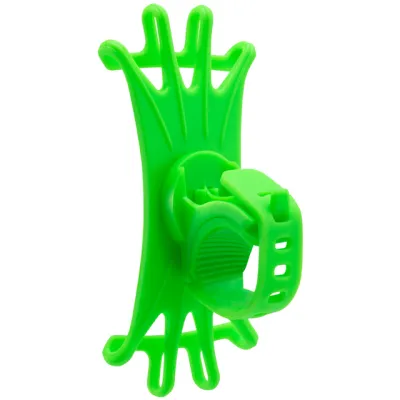
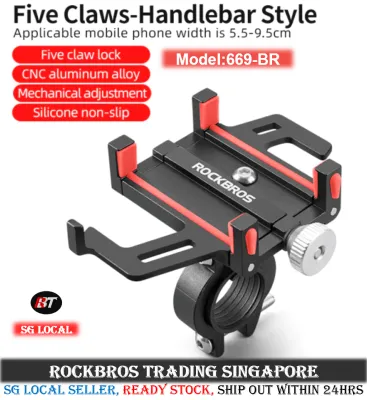
![[SG Ready Stock] GUB G-81 Mobile Phone Holder G81 Bicycle Bike Electric Scooter Motorcycle Phone Holders](https://img.lazcdn.com/g/p/82a416f0ed5cb32f4f621be9e20be181.jpg_400x400q80.jpg_.webp)
![[SG READY STOCK] GUB P-30 Mobile Phone Holder P30 Bicycle Bike Electric Scooter Motorcycle Phone Holders](https://img.lazcdn.com/g/p/49786a0b09465e6af9963bebb69e225d.jpg_400x400q80.jpg_.webp)
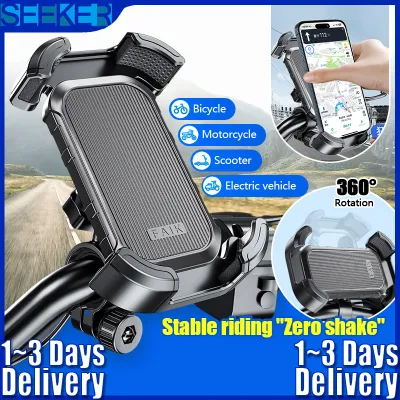
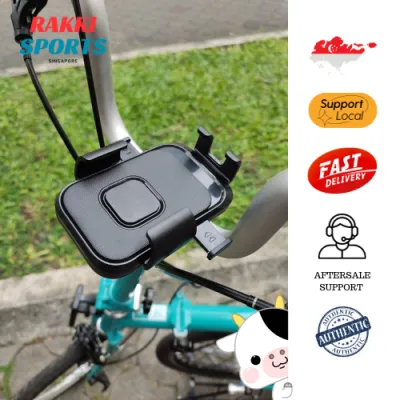
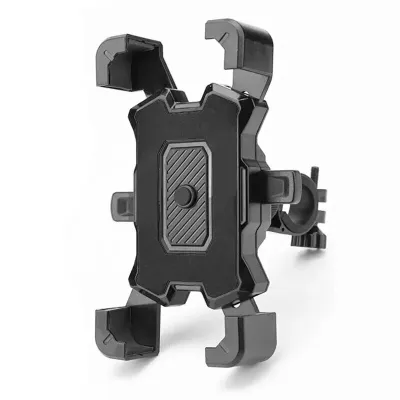

Prices are valid at publication and may change. Please refer to the product page for the latest price.
Daily commuting presents a completely different set of physical and environmental challenges. Commuters often ride at faster, sustained speeds on public roads or dedicated cycling paths, where aerodynamic drag and steering stability become important factors. The mount must keep the phone secure against sudden bumps, potholes, and the high-frequency vibrations of varied road surfaces. Furthermore, commuting in a tropical climate means preparing for sudden, heavy rain showers and managing the security risk of leaving mounting hardware on a parked bicycle.
Evaluating Handphone Holder Bike Designs by Mounting Position
The physical location of your phone mount on the bicycle directly influences your line of sight, steering dynamics, and aerodynamic profile. Placing a heavy device on your handlebars can alter the steering weight, while placing it too low can force you to take your eyes off the path ahead.

Handlebar and Stem Mounts
Handlebar clamps are among the most common designs available. They attach directly to the exposed tubing of your handlebars, making them easy to install and adjust. This position is highly suitable for upright leisure riding on the PCN, as it places the screen within easy reach and at a comfortable viewing angle. However, on narrow handlebars or commuter bikes with multiple accessories like lights and bells, handlebar clamps can quickly clutter the cockpit and slightly affect steering balance if the weight is offset to one side.
Stem cap mounts offer a cleaner, centered alternative by replacing the top cap of your bicycle’s stem. This design keeps the phone aligned with the center frame of the bike, preserving balanced steering and keeping the handlebars clear for other accessories. Before choosing this option, you must verify your bicycle’s stem bolt compatibility and ensure there is sufficient clearance so the phone does not hit the top tube or handlebars when turning.
Out-Front and Integrated Mounts
Out-front mounts use an extended arm to position the phone forward of the handlebars, level with or slightly below the bar height. This design is highly favored by daily commuters because it improves the aerodynamic profile of the bicycle and keeps the phone directly in your forward line of sight. By placing the screen further forward, you can check navigation maps with minimal head movement, which is a critical safety factor when riding at higher speeds in traffic.
Integrated mounts take this a step further by combining the phone holder with the handlebar stem or computer mount system. These offer a sleek profile and robust security, but they typically require specific handlebar compatibility and proprietary phone cases or adapters. If you use multiple bicycles or prefer not to use a dedicated phone case daily, the proprietary nature of integrated systems can be a limiting factor.
Top Tube Bags and Frame Mounts
Top tube bags feature a clear, touch-sensitive plastic window on top of a small storage compartment that straps directly to your bike’s frame. These bags are practical for leisure PCN rides, as they provide a dry space to store keys, cards, and external battery packs while keeping the phone screen visible. However, the clear plastic cover can reduce touch sensitivity, and the low mounting position forces you to look down significantly, making them less suitable for fast-paced daily commuting.
Frame strap mounts secure the phone directly to the top tube or main frame triangle. While this lowers the center of gravity and keeps the handlebars completely free, it positions the screen far outside your natural line of sight. This setup is generally unsuitable for active navigation during a commute, though it can serve as a secure storage method if you only use your phone for tracking rides in the background.
Key Features to Check for Security and Weather Resistance
When selecting a handphone holder, you must evaluate the physical attributes of the mount against your local riding conditions. A mount that works well on smooth, indoor trainers may fail when subjected to real-world road conditions and tropical weather.
First, examine the retention mechanism. Mechanical clamps that lock with a screw or spring-loaded jaw offer high rigidity, but you must check the manufacturer’s specified maximum phone width and thickness, especially if you use a thick protective case. Silicone bands that wrap around the corners of the phone provide shock absorption and fit a wide range of sizes, but silicone can degrade over time when exposed to intense sunlight and humidity. Regularly inspect these bands for micro-tears to prevent sudden failure.
Second, consider vibration damping. Modern smartphones feature delicate optical image stabilization (OIS) systems in their cameras. Continuous exposure to high-frequency road vibrations can degrade these mechanisms over time. Look for mounts that feature built-in rubber dampers or offer compatible aftermarket vibration-dampening modules to isolate your device from harsh road buzz.
Third, evaluate weatherproofing. Tropical climates are prone to sudden, heavy downpours. If your commute cannot be delayed by rain, look for mounts that include a dedicated waterproof sleeve, or opt for a fully enclosed hard case. Verify if the manufacturer specifies an IP water-resistance rating for their enclosures, and remember that fully sealed cases can trap heat, potentially causing your phone to overheat in direct sunlight.
Finally, assess anti-theft features. If you park your bicycle in public areas during your commute, a mount that requires tools to remove is less likely to be stolen than one with a simple quick-release thumb screw. Alternatively, choose a system where the mounting base remains securely bolted to the bike, but the phone cradle itself can be detached quickly and carried with you.
Cross-Scenario Compatibility: Can One Mount Do Both?
If your cycling routine includes both weekend PCN leisure rides and weekday commutes, investing in a single, versatile mounting system is often the most practical approach. A high-quality out-front mount or a centered stem mount equipped with a secure, quick-release mechanism can successfully bridge the gap between both worlds.
However, choosing a single mount requires accepting certain compromises. A highly aerodynamic, low-profile out-front mount designed for commuting may require a proprietary phone case that you must use even when not riding. This setup can also make it slightly more tedious to detach the phone quickly when stopping at a park connector cafe. On the other hand, a casual top tube bag that is well-suited for carrying snacks and keys on the PCN will add aerodynamic drag, clutter your frame, and potentially interfere with your knees when pedaling out of the saddle during a fast commute.
To make the right decision, prioritize your primary safety and security needs. If your daily commute involves riding in heavy traffic or on uneven roads, prioritize a rigid, vibration-damped out-front or stem mount that keeps your phone locked in place. The minor inconvenience of using a dedicated phone case or taking an extra second to detach the device at a cafe is a small price to pay for the safety of a secure, high-visibility mount.
Frequently Asked Questions (FAQ)
Will high-frequency vibrations from cycling damage my phone's camera?
Yes, continuous exposure to high-frequency vibrations from rough roads or paved paths can damage the delicate optical image stabilization (OIS) systems found in many modern smartphone cameras. Over time, these vibrations can cause the camera’s internal springs and magnets to wear out, leading to blurry photos or a failure to focus. To protect your device, check the manufacturer’s specifications for built-in vibration-dampening features, or install a compatible aftermarket damping module designed specifically to absorb high-frequency road shock.
How do I ensure my phone mount does not interfere with my bike's braking cables?
Before purchasing any handlebar or out-front mount, measure the available clearance around the center of your handlebars. Check the routing of your brake and gear cables, especially where they exit the handlebars or frame. Ensure the mount’s clamp width and arm length will not pinch, bend, or pull these cables when you turn the handlebars fully to either side. If your bike has integrated internal cable routing, a stem cap mount or a highly adjustable out-front mount is often the easiest way to avoid cable interference.
Community discussion
Share your experience or ask a question. Comments are reviewed before publication.