
To verify if other wellness equipment accessories are compatible with your specific device brand and model, you must systematically cross-reference three key elements: the exact model number of your primary device, the physical and electrical specifications of the accessory, and the manufacturer’s official compatibility documentation. Never rely solely on visual similarity or generic “universal” labels on online marketplaces. A quick check of connection interfaces, power ratings, and physical mounting points prevents costly purchasing mistakes and protects your equipment from damage.
Step 1: Identify Your Existing Device Specifications
Before searching for any new accessory, you must gather the precise technical identity of your current wellness device. Whether you are looking for replacement parts for an electronic muscle stimulator, a massage gun, or specialized yoga and wellness gear, the first step is locating the manufacturer’s identification label. This label is typically a silver, white, or black sticker located on the underside, base, or inside the battery compartment of the device.
On this label, look for the exact model number and serial number. Write down the complete alphanumeric sequence, paying close attention to dashes, suffixes, or regional codes. A single character difference can indicate a completely different product generation, which often features altered connection ports or updated electrical requirements. If the physical label has worn off due to regular use or moisture, consult your original user manual or check the digital receipt from your purchase.
Products mentioned in this guide
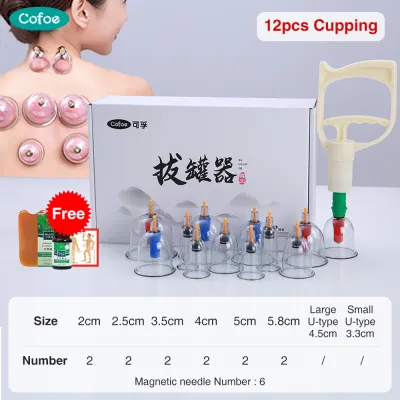
![[⭐SG Seller]Electric Heating Pad Healthy Home Body Back Pain Knee Relief Muscle Cramp Blanket Pad/Electric Heating Pad](https://img.lazcdn.com/g/p/e19152dbb28da656fa11f88ac71a5d9f.jpg_400x400q80.jpg_.webp)
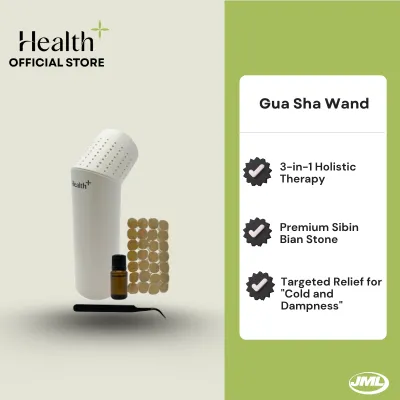
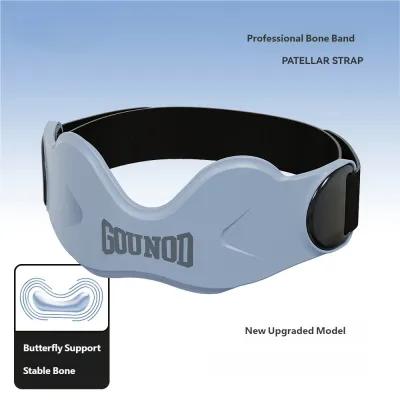
Prices are valid at publication and may change. Please refer to the product page for the latest price.
In addition to the model number, record the device’s electrical input requirements. Note the voltage (V) and current (amperage, represented as A or mA). For devices used in Singapore, where the standard domestic power supply is 230V at 50Hz, verifying these electrical specifications is crucial if the accessory involves a charging cable, power adapter, or direct electrical connection. Finally, measure the physical dimensions of any connection ports or mounting areas using a standard ruler or caliper to ensure a precise baseline for comparison.
Step 2: Cross-Reference Accessory Requirements and Specifications
Once you have recorded your device’s specifications, you can begin evaluating potential accessories. When browsing online listings or retail packaging, look past marketing buzzwords such as “highly compatible,” “universal fit,” or “designed for top brands.” These claims are often generalized and do not guarantee a safe or functional fit for your specific model.

Start by comparing the physical connection interfaces. For mechanical accessories, such as massage gun attachments or specialized rollers, the shaft diameter and locking mechanism must match your device exactly. If your device uses a push-fit system, a screw-on thread, or a magnetic coupling, the accessory must utilize the identical mechanism. For electrical accessories, such as replacement electrode pads or charging docks, verify that the pin spacing, plug diameter, and connector polarity match your recorded measurements.
Next, verify the power ratings of any electrical accessories. If you are purchasing a replacement charger or power adapter, the output voltage of the accessory must match the input voltage of your wellness device exactly. The current rating (amperage) of the accessory charger should meet or exceed the device’s requirement; using a charger with insufficient amperage can cause overheating and potential device failure. Be cautious of vague compatibility claims in product listings on ecommerce platforms, and always verify the seller’s return policy in case the physical fit differs from the description.
Step 3: Consult Official Compatibility Lists and Manufacturer Resources
To eliminate guesswork and protect your investment, always prioritize official manufacturer resources. Most reputable wellness brands maintain updated compatibility matrices or lists of approved accessories on their official websites. Navigate to the “Support,” “FAQ,” or “Accessories” section of the brand’s website to search for your specific model number.
If your device model is older or if the accessory you are considering is not explicitly listed, contact the manufacturer’s customer support team directly. Provide them with your device’s exact serial number and the specifications of the accessory you intend to purchase. This direct verification is the most reliable way to confirm compatibility, especially for complex wellness devices that utilize proprietary technology or software handshakes.
Consulting official resources also helps you understand the warranty implications of using third-party accessories. Many manufacturers explicitly state in their warranty terms that damage caused by the use of non-original equipment manufacturer (OEM) parts or unapproved accessories is not covered. If your device is still under warranty, spending a little extra on an official accessory can save you from costly out-of-pocket repairs or replacement fees later on.
Step 4: Evaluate Third-Party and Universal Accessories Safely
If official accessories are unavailable or if you choose to purchase a third-party alternative, you must establish a strict safety evaluation framework. Third-party accessories can be a cost-effective solution, but they require careful scrutiny to ensure they do not compromise the safety or performance of your wellness device.
First, verify that the third-party accessory carries recognized safety certifications. Look for official certification marks on the product packaging or the item itself, such as the Safety Mark for electrical adapters sold in Singapore, or international standards like CE, FCC, and RoHS. These marks indicate that the product has undergone testing to meet basic safety and environmental standards. Avoid purchasing electrical accessories that lack visible safety certifications.
Second, analyze online retailer listings for red flags. Be skeptical of listings with inconsistent technical specifications, missing electrical ratings, or a high volume of reviews complaining about loose connections, rapid wear, or overheating. If you are purchasing accessories for high-risk or load-bearing wellness equipment, such as suspension straps or resistance band attachments, do not attempt to anchor them to walls, doors, or other structures unless the manufacturer’s manual explicitly permits it and provides clear installation instructions. If the specifications of a third-party accessory conflict even slightly with your device’s manual, stop and do not proceed with the purchase.
Step 5: Perform a Safe Physical and Functional Test
After purchasing a compatible accessory, perform a systematic physical and functional test before integrating it into your regular wellness routine. This step ensures that the accessory fits correctly and operates safely without putting your primary device or yourself at risk.
Begin with a thorough visual inspection of the new accessory. Check the connectors, pins, threads, or mounting brackets for any manufacturing defects, sharp edges, or damage sustained during shipping. For mechanical attachments, gently align the accessory with the device’s mounting point. It should slide or screw into place smoothly. If you must apply excessive force, or if the connection feels loose and wobbles, stop immediately. A poor physical fit can damage the internal housing of your device or cause the accessory to detach unexpectedly during use.
For electrical accessories, conduct a low-power or unweighted initial test. Place your wellness device on a flat, non-flammable surface away from water or humid areas. Plug in the accessory and turn on the device at its lowest setting. Monitor the device closely for the first few minutes. If you observe any immediate stop conditions—such as unusual heat buildup, a burning smell, strange noises, sparking, or if the device displays an error code—power down and unplug the device immediately. Disconnect the accessory and do not attempt to use it again.
Frequently Asked Questions (FAQ)
Can using an incompatible accessory void my device warranty?
Yes, using an incompatible or unapproved third-party accessory can void your wellness device’s warranty. Most manufacturers include specific clauses in their warranty agreements stating that damage resulting from the use of non-original parts, unauthorized modifications, or third-party power supplies is not covered. Before purchasing any third-party accessory, review your device’s warranty documentation. If you must use a third-party option, ensure it meets the exact technical specifications of the original part to minimize the risk of device failure.
What should I do if the accessory fits physically but the device shows an error?
If an accessory fits physically but triggers an error code or fails to operate, immediately turn off and unplug the device. This issue often occurs with smart wellness devices that use proprietary microchips or magnetic sensors to detect official accessories. Do not attempt to bypass the error or modify the device’s firmware. Check the user manual for the specific error code meaning. If the error persists, disconnect the accessory and contact the device manufacturer’s customer support to verify if a software update or specific pairing process is required.
Community discussion
Share your experience or ask a question. Comments are reviewed before publication.