
Finding the right bicycle mount holder for Singapore’s Park Connector Network (PCN) depends on balancing weather protection, vibration damping, and ease of access. Because PCN routes feature a mix of smooth asphalt, concrete paths, and occasional wooden boardwalks, a secure mount is essential for keeping your smartphone safe while navigating or tracking your ride. The ideal choice is not a single universal model, but rather a mount type that matches your phone’s dimensions, your bicycle’s handlebar setup, and your tolerance for sudden tropical downpours.
Singapore’s extensive PCN spans hundreds of kilometers, connecting parks, coastal paths, and residential estates. Whether you are a weekend leisure rider or a daily commuter, having your phone securely mounted allows you to monitor your GPS route, track fitness metrics, or quickly check local weather alerts. However, the unique local climate and path conditions mean that a generic holder might fail when subjected to high humidity, sudden rain, or constant vibrations. Understanding these specific environmental factors is the first step in selecting a reliable mounting system.
Understanding PCN Riding Conditions for Phone Mounts
Singapore’s tropical climate brings high humidity and sudden, intense rain showers. A bicycle mount holder must either offer built-in water resistance or allow you to quickly detach your phone to store it in a dry bag. High humidity can also cause condensation behind clear plastic screens, affecting touch sensitivity and visibility. Choosing a mount that allows for rapid removal ensures you can protect your device before a sudden downpour damages its ports or screen.
Products mentioned in this guide
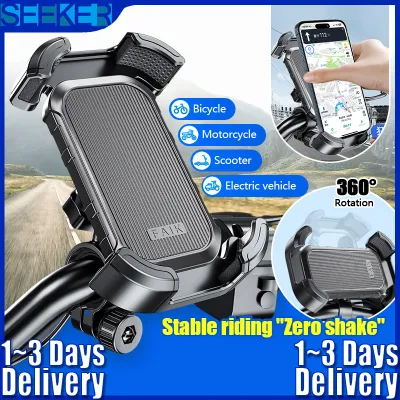
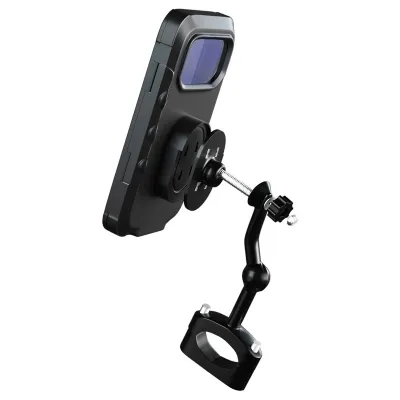
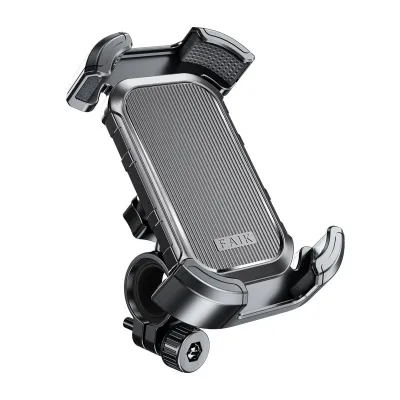
Prices are valid at publication and may change. Please refer to the product page for the latest price.
While the PCN is generally well-maintained, riders frequently encounter transition points, such as curb cuts, tactile paving for the visually impaired, wooden boardwalks, and expansion joints on bridges. These surfaces generate high-frequency vibrations and sudden jolts. A mount with poor shock absorption can transfer these forces directly to your phone, potentially loosening the clamp or damaging internal components. Ensuring your mount has a secure locking mechanism prevents the phone from ejecting when you hit an unexpected bump.
Cycling under the intense Singapore sun can make reading a smartphone screen difficult. Direct sunlight causes severe glare, especially on glossy screen protectors or thick plastic pouch covers. Mounts that allow for multi-angle adjustment help you tilt the screen away from direct sunlight, while some designs feature small integrated sun hoods to improve readability. Proper positioning also prevents the phone from overheating when exposed to direct sunlight for extended periods.
PCN paths have speed limits—typically 15 km/h for shared paths—to ensure the safety of pedestrians and cyclists alike. Because you are riding at casual or commuter speeds rather than racing, aerodynamic profiles are less important than convenience. You want a mount that allows you to easily mount and dismount your phone when stopping at a park bench, water cooler, or local cafe along the route. Quick-release features are highly practical for these frequent stops.
Evaluating Mount Types for Navigation and Tracking
Hard case and clamp systems use a dedicated, rigid phone case that locks mechanically into a matching handlebar clamp. They offer excellent security and structural rigidity, making them highly resistant to slipping or rotating on bumpy paths. Many of these systems also feature integrated vibration-damping materials to protect internal phone components. However, they are bulkier, more expensive, and usually designed for specific flagship smartphone models, meaning you must replace the entire case if you upgrade your phone.

Silicone strap and web mounts are made from flexible, high-tensile silicone that wraps around the corners of your phone to hold it against a plastic or metal base. They are highly versatile, lightweight, and universally compatible with almost any smartphone size. The elastic nature of silicone naturally absorbs some low-frequency vibrations. On the downside, they offer no protection against heavy rain, and the silicone straps can degrade over time when exposed to Singapore’s intense UV rays and humidity, requiring regular inspection for micro-tears.
Magnetic and quick-release systems utilize strong magnets or a simple twist-lock mechanism to secure the phone to the handlebar base. They are incredibly convenient for riders who take frequent photos or make stops along the PCN, as you can detach the phone with a single hand. When evaluating these systems, it is crucial to verify the mechanical locking backup. Pure magnetic mounts without a physical latch may not withstand sudden jolts from unexpected bumps or curb drops.
Stem cap mounts replace your bicycle’s top cap, positioning the phone directly in the center of your cockpit. This provides a clean look and keeps the phone aligned with your steering axis, which some riders find more intuitive for navigation. Handlebar mounts clamp onto the handlebar tube itself, offering greater flexibility in positioning and angle adjustment. Handlebar clamps are generally easier to install and transfer between different bicycles, though they occupy valuable space next to your grips, lights, or bell.
Key Compatibility and Safety Checks Before Buying
Bicycle handlebars come in various standard diameters, typically ranging from 22.2 mm to 31.8 mm. Before purchasing a bicycle mount holder, measure your handlebar’s thickness at the exact spot you plan to install it. Many mounts include rubber shims or spacers to accommodate different diameters, which also help prevent the clamp from scratching your handlebars or slipping during a ride. A loose clamp can rotate forward under the weight of your phone, distracting you during a ride.
Do not rely solely on your phone’s advertised screen size, as bezel sizes and external protective cases add significant bulk. Measure the total width, height, and depth of your phone while it is inside its daily protective case. Ensure the mount’s jaws, clamps, or silicone straps can securely grip the entire thickness without slipping off the edges. If the grip is too shallow, a sudden bump on a PCN path could cause the phone to pop out.
Modern smartphones feature complex multi-camera arrays, optical image stabilization (OIS) modules, and side-mounted buttons. A poorly designed mount might press down on your volume or power buttons, causing the phone to restart or trigger emergency services. Additionally, if you plan to record your ride or use your phone’s camera as a basic dashcam, verify that the mount’s backing plate does not block the rear camera lenses. The mount should hold the phone firmly without putting direct pressure on sensitive glass areas.
The combination of Singapore’s salty coastal air, high humidity, and intense sunlight can rapidly degrade cheap materials. Look for mounts constructed from UV-stabilized plastics, aircraft-grade aluminum, or rust-resistant stainless steel hardware. Avoid mounts with exposed, non-plated steel screws, as they will quickly rust and seize up after exposure to rain. Investing in durable materials ensures the mount remains reliable over years of outdoor use.
Installation and Weather Protection Tips
Install your mount in a position that allows you to glance at your navigation screen with minimal head movement, keeping your eyes primarily on the path ahead. Ensure the mounted phone does not interfere with your brake levers, gear shifters, or the beam of your front safety light. If you ride at night, position the mount so that your phone’s screen glare does not reflect directly into your eyes. A clear view of both the screen and the path is essential for safe PCN cycling.
Since a sudden downpour can happen at any time, always have a wet-weather plan. If your phone is not rated for water resistance, consider using a mount that accommodates a dedicated waterproof pouch, or keep a simple zip-top plastic bag in your jersey pocket or saddlebag. Slip the bag over your phone and mount during heavy rain to protect the ports while maintaining basic touch functionality. Alternatively, choosing a quick-release mount allows you to stash your phone in a waterproof bag in seconds.
Before every ride on the PCN, perform a quick safety check. Wiggle the mount to ensure the handlebar clamp has not loosened due to temperature changes or vibration. Inspect any silicone straps for signs of dry rot, cracking, or loss of elasticity. Ensure the locking mechanism engages with a clean, audible click and holds the phone firmly in place. Taking ten seconds to check your gear can prevent an expensive device repair later.
If you use your phone for continuous GPS tracking and screen-on navigation, your battery will drain quickly. Many riders connect their phone to a power bank stored in a top-tube bag or handlebar bag. If you do this, route the charging cable carefully along your frame or brake cables, securing it with hook-and-loop straps. Leave enough slack near the handlebars to allow for full steering rotation without pulling or snagging the cable during sharp turns.
Frequently Asked Questions (FAQ)
Do I need a vibration dampener for PCN cycling?
Yes, if you use a modern smartphone with optical image stabilization (OIS). OIS systems rely on tiny physical gyroscopes and springs to keep the camera lens steady. High-frequency vibrations—such as those generated by riding over tactile paving, textured concrete, or wooden boardwalks on the PCN—can wear down or permanently damage these delicate mechanical parts over time, leading to blurry photos or a failing camera. If you use a rigid, direct-clamp mount, look for models that offer an integrated vibration-damping module or purchase a compatible dampening accessory to absorb these harmful frequencies.
Can I use a standard phone pouch instead of a dedicated mount?
While a generic hanging phone pouch or zippered handlebar bag is highly waterproof, it is generally less suitable for active navigation and tracking. These pouches often suffer from severe screen glare under direct sunlight, and the thick plastic window can significantly reduce touch screen responsiveness, making it difficult to interact with your map. Furthermore, generic pouches tend to bounce and sway on uneven paths, which can distract you and make the screen hard to read. A dedicated, rigid bicycle mount holder keeps your phone stable, properly angled, and easily accessible, providing a much safer and more reliable experience on the PCN.
Community discussion
Share your experience or ask a question. Comments are reviewed before publication.