
Quick Guide: Matching Mount Types to Your Riding Style
Choosing the ideal bicycle phone mount is not a one-size-fits-all decision. The right mounting mechanism depends heavily on your specific handlebar geometry, your typical riding terrain, and how frequently you need to mount and dismount your device. A setup that works perfectly for a casual weekend rider cruising along smooth park connector networks may fail catastrophically on a high-vibration gravel trail or during a high-speed road descent.
For daily commuters who prioritize convenience and quick transitions, flexible silicone bands or magnetic systems offer rapid installation and removal. However, these minimalist designs often trade off absolute mechanical security for speed. Conversely, performance cyclists and off-road riders facing rough terrain require the uncompromising grip of mechanical clamps or proprietary lock-in systems. Before making a purchase, you must balance your need for quick-release convenience against the level of vibration isolation and physical security your riding style demands.
Step 1: Assessing Your Handlebar Shape and Dimensions
Before evaluating different mounting mechanisms, you must determine the physical characteristics of your cockpit. Bicycle handlebars come in various diameters, shapes, and materials, all of which directly influence mount compatibility. Standard round handlebars typically feature clamping zones of 22.2 mm, 25.4 mm, 31.8 mm, or 35 mm. You can identify your handlebar’s diameter by checking the manufacturer’s specifications or by using a caliper to measure the tube at the intended mounting location.
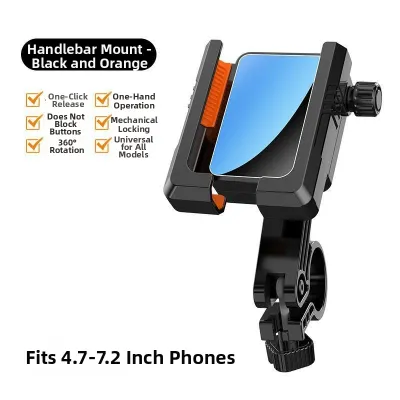
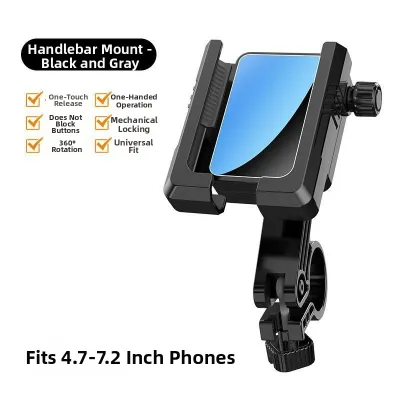
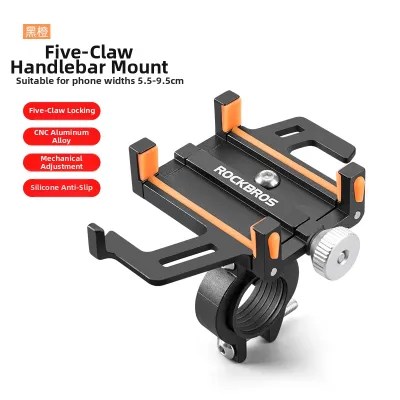
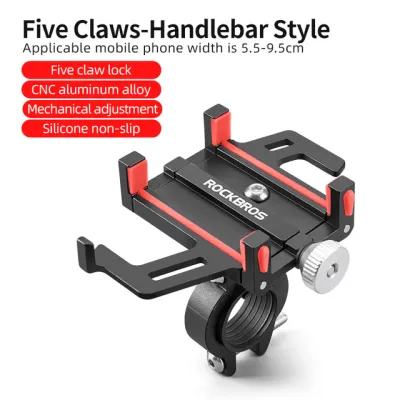
Products mentioned in this guide
![[SG Ready Stock] GUB G-81 Mobile Phone Holder G81 Bicycle Bike Electric Scooter Motorcycle Phone Holders](https://img.lazcdn.com/g/p/f9ff79877d3686dbefaff537bc6c496e.jpg_400x400q80.jpg_.webp)
![[SG READY STOCK] GUB G-85 Mobile Phone Holder G81 Bicycle Bike Electric Scooter Motorcycle Phone Holders](https://img.lazcdn.com/g/p/03db47dbaef0d1a47381ad103de342e7.jpg_400x400q80.jpg_.webp)
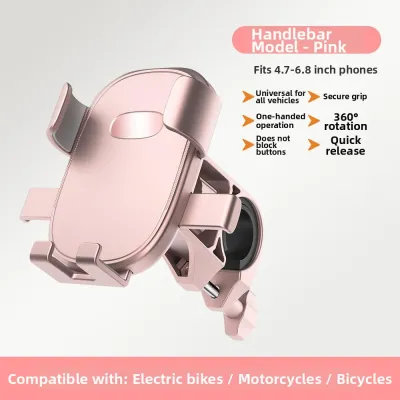
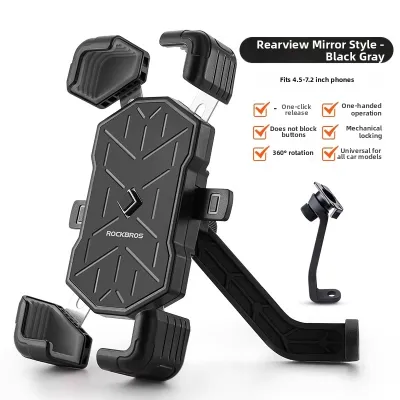
Prices are valid at publication and may change. Please refer to the product page for the latest price.

Modern bicycles often feature non-standard handlebar profiles that complicate mounting. Tapered handlebars gradually narrow from the center stem toward the grips, meaning a mount secured on a tapered section may slide if not properly shimmed. Aerodynamic road bikes frequently use flat, oval, or integrated carbon fiber cockpits that cannot accommodate standard circular clamps. Additionally, you must inspect your handlebars for potential obstruction points, such as brake cables, gear shifters, out-front computer mounts, and front lights, ensuring the phone mount will not interfere with your steering or braking controls.
If your bicycle features carbon fiber handlebars, you must exercise extreme caution. Carbon fiber is highly sensitive to localized clamping pressure. Before installing any rigid clamp, consult your handlebar manufacturer’s manual to verify the maximum torque limits. Exceeding these limits can crush the carbon structure, leading to sudden handlebar failure during a ride.
Silicone Band Mounts: Flexibility for Standard Commuter Bikes
Silicone band mounts are popular for their simplicity, affordability, and universal stretch design. These mounts typically feature a central plastic or silicone cradle with elastic straps that wrap tightly around the four corners of your smartphone. The base of the mount utilizes a watch-band style strap that wraps around standard cylindrical handlebar tubes, requiring no tools for installation.
For multi-modal commuters who frequently transition from cycling to public transit, silicone mounts are highly practical. They can be installed or removed in seconds, allowing you to pocket both your phone and the mount when parking your bicycle at public racks or transit hubs. Because silicone is naturally elastic, these mounts provide a basic level of high-frequency vibration dampening, protecting your phone’s internal components from minor road buzz.
However, silicone is organic and susceptible to environmental wear. In hot, humid tropical climates with intense UV exposure, silicone can degrade, dry out, and develop micro-tears over time. You must regularly inspect the bands for signs of cracking or loss of elasticity. Always check the manufacturer’s guidelines regarding maximum device weight limits and recommended replacement intervals to prevent sudden material failure while riding.
Mechanical Clamp Mounts: Adjustability for Irregular Handlebars
Mechanical clamp mounts utilize a rigid claw, vice, or screw-tightened bracket to lock onto the handlebar. These systems are highly versatile, often featuring adjustable jaw widths and interchangeable rubber shims that allow them to grip slightly irregular, tapered, or oversized tubes securely. The phone itself is typically held in place by spring-loaded side grips, a mechanical screw-drive cradle, or a locking top clamp.
The primary advantage of a mechanical clamp is its rigid, unyielding hold. This makes them highly suitable for heavier, larger smartphones that might cause silicone mounts to sag or bounce. Many high-quality mechanical clamps also feature ball-and-socket joints, allowing you to adjust the viewing angle of your phone to avoid screen glare or to position the screen in either portrait or landscape orientation.
This rigidity, however, requires careful installation. Metal-on-metal or hard plastic clamps can scratch alloy handlebars or crush carbon fiber tubes if overtightened. Always use the included rubber liners to protect your handlebar’s finish and improve grip friction. Furthermore, because mechanical clamps transfer road vibrations directly to your device, you should look for models with integrated vibration dampening modules to protect your phone’s sensitive optical image stabilization camera sensors from damage.
Magnetic Mounts: Minimalist Convenience for Smooth Pavement
Magnetic mounting systems offer a sleek, low-profile aesthetic that appeals to cyclists who prefer a clean cockpit. These systems rely on a powerful magnetic array built into the handlebar mount, which couples with a matching magnetic plate. This plate is either adhered directly to the back of your phone, integrated into a compatible phone case, or placed between your phone and a standard case.
In terms of daily usability, magnetic mounts are exceptionally convenient. You can mount or detach your phone instantly with one hand, making it easy to grab your device to take a photo or answer a call during a stop. Because the mount itself has a very small footprint, it remains unobtrusive when you are riding without your phone attached.
Despite their convenience, magnetic mounts have distinct physical limitations. They rely entirely on magnetic attraction and friction to resist shear forces. While highly secure on smooth, paved roads and well-maintained park connectors, sudden vertical impacts—such as hitting a deep pothole, dropping off a curb, or riding over cobblestones—can overcome the magnetic bond, causing the phone to detach. For this reason, magnetic mounts are best restricted to predictable urban commuting and should be avoided on rough trails or high-speed descents.
Proprietary Lock-In Systems: Integrated Security for Performance Riding
Proprietary lock-in systems are engineered for performance cyclists, gravel riders, and mountain bikers who demand absolute security in high-vibration environments. These systems utilize a patented mechanical interface—often a dual-stage twist-and-lock mechanism—that physically locks the phone to the mount. To use these systems, you must purchase a dedicated, brand-specific phone case or attach a heavy-duty universal adhesive adapter to your existing case.
Once engaged, a proprietary lock-in system is virtually impossible to dislodge through vibration or impact alone. Many designs feature an audible click and a secondary physical lever that must be manually depressed to release the phone, ensuring the device remains locked even during crashes or rough off-road riding. These mounts are often constructed from high-grade composite plastics or machined aluminum, offering exceptional durability.
Another major benefit of these ecosystems is their integration. Many brands offer a wide range of mounting bases, including stem cap mounts, out-front aerodynamic mounts, and even integrated computer mounts that hold both your phone and a cycling computer. The primary trade-off is cost and ecosystem lock-in; you must purchase a new proprietary case whenever you upgrade your phone, and the initial investment for the mount and case is typically higher than other options.
Pre-Ride Checklist: Verifying Mount Security and Handlebar Safety
Before setting off on any ride, establish a quick pre-ride inspection routine to ensure your phone and handlebar setup remain secure. Taking thirty seconds to verify your equipment can prevent costly device damage or dangerous distractions while navigating traffic.
- Perform a Physical Tug Test: Grab the installed mount and apply moderate twisting force. The mount should not rotate, slide, or play on the handlebar. If it moves, tighten the clamping mechanism to the manufacturer's specified torque, or check if you need to install additional rubber shims to increase friction.
- Verify Phone Engagement: Insert your phone into the mount and ensure all locking arms, silicone bands, or magnetic connections are fully engaged. For lock-in systems, listen for the physical click and visually inspect the locking tabs to confirm they are fully seated.
- Check Cable and Control Clearance: Turn your handlebars fully from left to right. Verify that the phone and mount do not pinch, pull, or interfere with your brake cables, gear cables, or brake levers. Ensure you can easily access your bell, shifters, and brakes without your hands hitting the phone.
- Assess Screen Visibility: Sit on your bicycle in your active riding posture. Adjust the angle of the mount so you can view the screen clearly without having to tilt your head excessively downward, which takes your eyes off the road ahead.
- Inspect for Wear and Tear: Regularly check silicone bands for micro-cracks, plastic mounts for stress whitening, and metal bolts for rust. If you observe any structural degradation, replace the compromised components immediately.
If you are ever unsure about the compatibility of a mount with your specific handlebar setup—particularly on high-end carbon fiber cockpits or integrated aero bars—stop and consult a professional mechanic at your local bicycle shop to avoid damaging your equipment.
Frequently Asked Questions (FAQ)
Do I need a special phone case for a bicycle phone mount?
Whether you need a special case depends entirely on the mounting mechanism you choose. Universal mounts, such as silicone band systems and mechanical clamps, do not require a special case; they are designed to grip bare phones or standard protective cases. However, if you opt for a magnetic mount or a proprietary lock-in system, you will generally need a dedicated case designed by the mount manufacturer to ensure a secure mechanical or magnetic connection. While some brands offer universal adhesive adapters that stick to your existing case, you must verify that your case material is compatible with the adhesive, as textured, silicone, or leather cases may not form a reliable bond.
Can I use a phone mount on carbon fiber handlebars?
Yes, you can use a phone mount on carbon fiber handlebars, but you must take specific precautions to prevent structural damage. Carbon fiber is highly susceptible to crushing forces, so you must never use a rigid metal clamp without protective rubber liners or shims. Always consult your handlebar manufacturer’s manual to find the maximum clamping torque limit, and use a calibrated torque wrench during installation to ensure you do not exceed this value. For maximum safety, consider using mounts that attach to the stem faceplate bolts or the stem cap, as these areas are designed to handle clamping forces and eliminate the risk of clamping directly onto the carbon handlebar tubes.
Community discussion
Share your experience or ask a question. Comments are reviewed before publication.