
Choosing the right Rockbros heart rate monitor depends on your specific cycling environment—whether you are navigating the flat, scenic paths of the local Park Connector Network (PCN) or pushing your limits on long-distance road routes. To make the correct choice, you must balance your comfort preferences against your need for real-time tracking accuracy. By understanding how different sensor types interact with your cycling computer, smartphone, or smartwatch, you can select a device that integrates seamlessly into your setup without overcomplicating your rides.
Investing in a dedicated heart rate monitor is one of the most effective ways to gauge your cardiovascular effort, manage your pacing, and track your fitness progress over time. While basic smartwatches can estimate your heart rate from the wrist, a dedicated sensor positioned closer to your core or major muscle groups provides more consistent data. This guide will help you evaluate the technical specifications, wearing styles, and compatibility requirements of Rockbros monitors so you can make an informed decision before purchasing.
Identifying Your Cycling Routine and Tracking Goals
Your primary cycling environment and training intensity should dictate the type of heart rate monitor you choose. For casual riders who primarily use the Park Connector Network (PCN) for weekend recreation, active commuting, or light fitness, extreme millisecond-level tracking accuracy is rarely a necessity. On these relaxed rides, your heart rate generally rises and falls gradually, meaning a highly convenient, comfortable sensor that provides steady, reliable readings is more than adequate for monitoring your general exertion levels.
Products mentioned in this guide
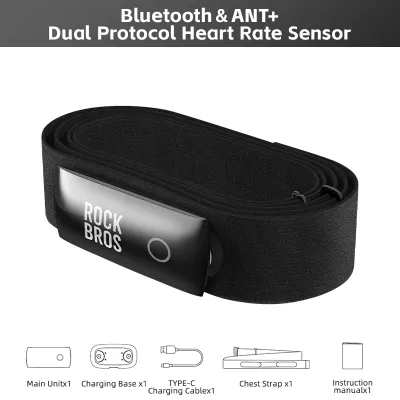
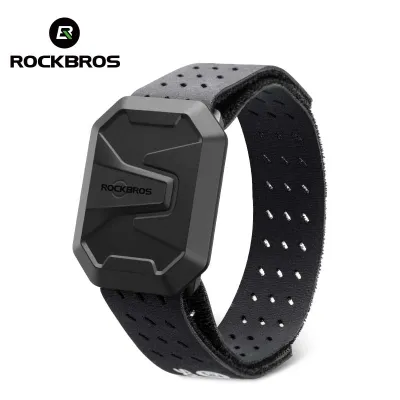
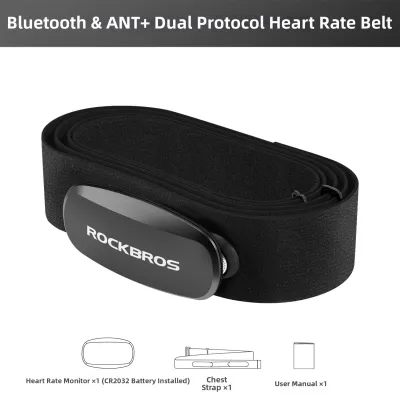
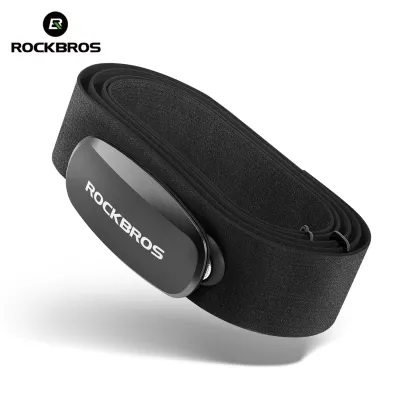
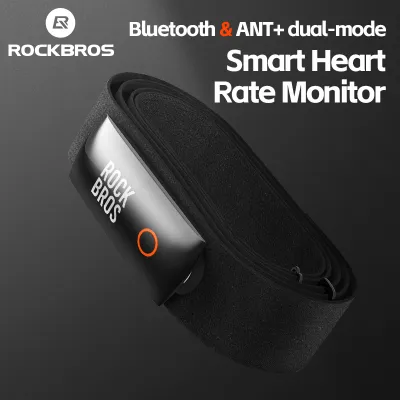
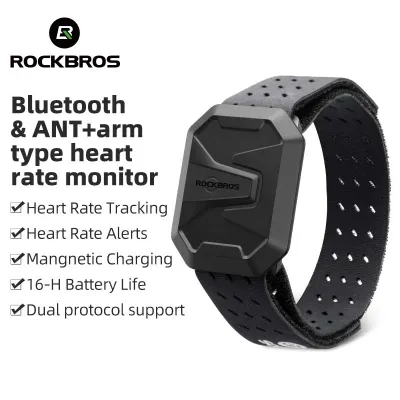
Prices are valid at publication and may change. Please refer to the product page for the latest price.
If your routine involves structured training, high-intensity interval training (HIIT), or competitive road cycling, your tracking needs change significantly. During intense efforts—such as sprinting up flyovers, performing interval sets, or sustaining high-speed pacelines—your heart rate can spike or drop rapidly within seconds. To capture these sudden transitions accurately, you require a highly responsive sensor that transmits real-time data without lag, allowing you to stay precisely within your targeted training zones.
Data integration is another critical factor to consider before choosing a monitor. If you prefer a minimalist setup, you might want a sensor that pairs directly with your smartphone mounted on your handlebars, running popular fitness and navigation apps. Alternatively, dedicated road cyclists often rely on dedicated cycling computers or multi-sport GPS watches to display and record their metrics. Identifying which devices will receive your heart rate data ensures you select a monitor with the correct wireless capabilities to support your existing ecosystem.
Key Specifications to Verify in Rockbros Monitors
When browsing different Rockbros heart rate monitors, you must carefully verify the wireless connection protocols supported by each model. Most modern sensors utilize either Bluetooth, ANT+, or a combination of both, often referred to as dual-band transmission. ANT+ is highly valued in the cycling community because it allows a single sensor to broadcast your heart rate data to multiple receiving devices simultaneously, such as a cycling computer on your handlebars and a sports watch on your wrist. Bluetooth, on the other hand, is the standard protocol for connecting directly to smartphones, tablets, and indoor training applications.

Battery configuration is another specification that directly impacts your long-term user experience. Some monitors are powered by replaceable CR2032 coin cell batteries, which typically offer several months of regular use before requiring a replacement. This design is highly convenient for riders who prefer not to worry about frequent charging cycles. Other models feature built-in rechargeable lithium-ion batteries that charge via a magnetic USB cable. While rechargeable models eliminate the need to purchase replacement batteries, you must remember to charge them periodically and keep track of the proprietary charging cable.
Given the hot, humid tropical climate of Singapore, water and sweat resistance are non-negotiable specifications for any cycling accessory. Sweat is highly corrosive to electronic components, and sudden tropical downpours can quickly saturate your gear. Before purchasing, check the product packaging or official manufacturer specifications for an explicit IP (Ingress Protection) rating, such as IP67 or IPX7. An IP67 rating indicates the device is dust-tight and protected against temporary immersion in water, while an IPX7 rating ensures the device can withstand being submerged in up to one meter of water for 30 minutes, providing peace of mind during heavy rain.
Matching Wearing Styles to Your Comfort and Accuracy Needs
Heart rate monitors generally fall into two main categories based on where they are worn: chest straps and optical armbands. Chest straps utilize electrocardiography (ECG) technology to detect the actual electrical signals generated by your heartbeats. Because they are positioned directly across your chest, they offer the highest level of accuracy and responsiveness, capturing rapid changes in heart rate almost instantaneously. For serious cyclists executing precise interval training, the chest strap remains the preferred standard for reliable data.
Despite their superior accuracy, chest straps can sometimes present comfort challenges during long, hot rides. The elastic band must be worn snugly around the chest to maintain consistent contact with your skin, which some riders find restrictive or uncomfortable when breathing heavily. Additionally, the chest strap electrodes require moisture to function correctly; on dry days, you may need to dampen the contact pads with water before setting off, though natural sweat usually takes over once you begin pedaling.
Optical armbands offer a highly popular alternative that prioritizes comfort and ease of use. These sensors utilize photoplethysmography (PPG) technology, which shines LED lights into your skin to detect changes in blood volume as it pumps through your capillaries. Armbands are typically worn on the forearm or upper arm and are secured with a soft, adjustable hook-and-loop strap. Many cyclists find this placement far more comfortable and less intrusive than a chest strap, especially during long endurance rides where physical restriction can become irritating.
While optical armbands are exceptionally comfortable, they do have inherent technical trade-offs. Because they measure blood flow further away from the heart, there is often a slight physical lag in data transmission during rapid, explosive efforts. Additionally, rapid arm movements, tight gripping of the handlebars, or riding over extremely bumpy terrain can occasionally introduce motion artifacts that temporarily affect the accuracy of the readings. For casual PCN cruising or steady-state endurance riding, however, these minor limitations rarely impact the overall utility of the data.
When choosing between these styles, consider how the sensor interacts with your cycling apparel. A chest strap must be positioned underneath your cycling jersey and bib straps, which can make it difficult to adjust or remove mid-ride if it becomes uncomfortable. An armband, conversely, can be easily slipped on or off over your arm without disturbing your clothing, making it a highly versatile option for riders who value convenience and quick adjustments during their outings.
Pre-Purchase Compatibility and Setup Checks
Before finalizing your purchase, it is essential to perform a thorough compatibility check with your existing cycling gear. Start by reviewing the user manual or technical specifications of your current cycling computer, smartwatch, or smartphone. Confirm whether your receiving device requires an ANT+ connection or if it can pair with standard Bluetooth Smart (BLE) sensors. Ensuring that your chosen Rockbros monitor supports the exact protocol used by your head unit will prevent frustrating pairing failures when you set up your gear.
It is also wise to check if the specific monitor model requires a proprietary companion application for initial setup, calibration, or firmware updates. Some sensors work entirely plug-and-play, broadcasting their signal immediately upon activation, while others may require you to connect them to a smartphone app first to register the device or customize your heart rate zones. Knowing these requirements beforehand helps you prepare your smartphone and ensures a smooth, hassle-free initial configuration process.
Finally, because wireless compatibility can occasionally be affected by specific hardware combinations or software versions, always review the return and exchange policies of the online marketplace or official retail store where you plan to make your purchase. Opting for a seller that offers a clear, straightforward return window allows you to test the heart rate monitor with your specific cycling computer and smartphone at home. If you encounter any irreconcilable connection drops or pairing issues, you can easily exchange the device for a model that better suits your technical setup.
Frequently Asked Questions (FAQ)
How do I clean and maintain my heart rate strap after a sweaty ride?
To prolong the lifespan of your heart rate monitor and prevent skin irritation, regular maintenance is essential. After every ride, detach the plastic transmitter module from the elastic strap. Rinse the fabric strap thoroughly under cool, fresh running water to wash away accumulated sweat, salt, and body oils. Avoid using harsh chemical detergents, bleach, or fabric softeners, as these substances can degrade the conductive electrode pads and damage the elasticity of the strap.
Once rinsed, gently squeeze out excess water and hang the strap to air dry in a well-ventilated indoor area away from direct sunlight. Never place the elastic strap in a clothes dryer or use direct heat sources, as extreme temperatures will warp the materials. For the transmitter module, wipe it down with a damp, soft cloth and dry it completely. When storing your equipment for extended periods, keep the transmitter module detached from the strap to prevent the sensor from remaining active and draining the battery prematurely.
Why is my heart rate monitor dropping connection during a ride?
Intermittent connection drops during a ride are usually caused by a few common, easily correctable factors. If you are using a chest strap, the most frequent culprit is dry electrodes. If your skin is dry or you are riding in cool weather, the sensor may struggle to detect your heart’s electrical signals; try moistening the electrode pads with water or a small amount of gel before putting the strap on. For optical armbands, ensure the strap is adjusted snugly against your skin so that external light cannot seep in and disrupt the optical sensor.
Another common cause of signal loss is a low battery. If your sensor’s battery voltage drops below a certain threshold, its wireless transmission strength decreases significantly, leading to frequent disconnects. Replace the coin cell battery or fully charge the rechargeable module to see if connection stability improves. Lastly, be aware of wireless interference; riding near high-voltage power lines or in crowded group rides with dozens of active ANT+ and Bluetooth signals can occasionally disrupt your connection. If drops persist, consult your device manual to perform a soft reset or check for available firmware updates via the companion app.
Community discussion
Share your experience or ask a question. Comments are reviewed before publication.