
Choosing the right Rockbros phone holder depends on matching your specific bicycle cockpit geometry, your phone’s physical dimensions, and the intensity of your riding terrain. Singapore’s cycling landscape ranges from smooth, paved Park Connector Network (PCN) paths to rugged, root-filled mountain biking trails. A commuter navigating urban traffic needs quick access and visibility, while a trail rider requires maximum mechanical retention to prevent expensive drops. By evaluating mounting positions, measuring your device accurately, and understanding locking mechanisms, you can select a model that keeps your phone secure and legible throughout your journey.
Quick Guide: Match Your Cycling Style to the Right Mount
To find the ideal phone holder, you must first analyze how and where you ride. Your cycling style dictates the level of vibration, shock, and environmental exposure your phone will face.
Let’s break down the three primary decision pillars: mounting location, phone dimensions, and riding terrain.
Products mentioned in this guide
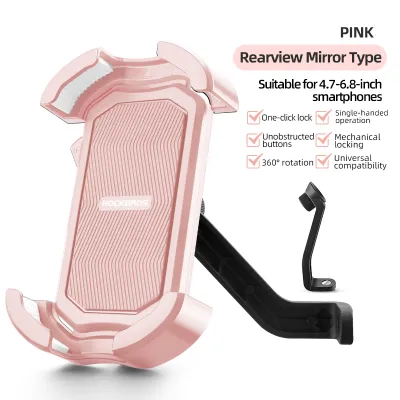
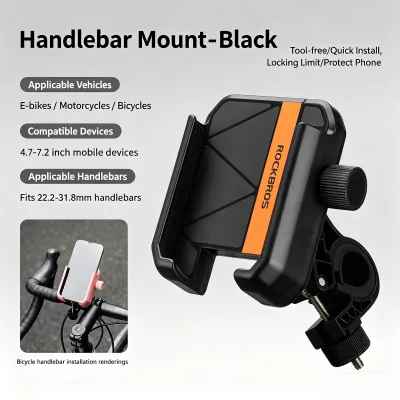
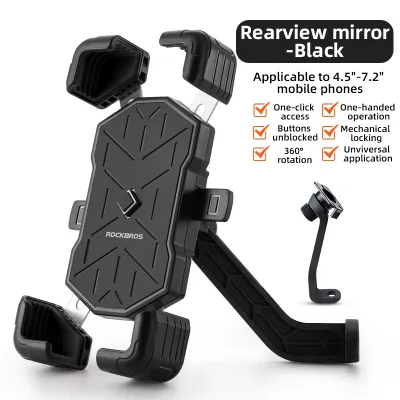
![[SG SELLER] ROCKBROS Bicycle Mobile Phone Holder Bracket Mount Headset Screw Anti Slip MTB Bike Phone Stand Road Bike Stand](https://img.lazcdn.com/g/p/b77e8f0abf2a139ee0a30d1077dfc182.png_400x400q80.png_.webp)
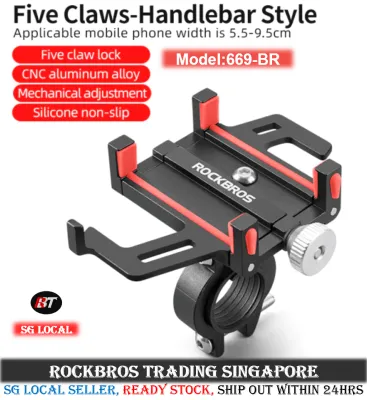
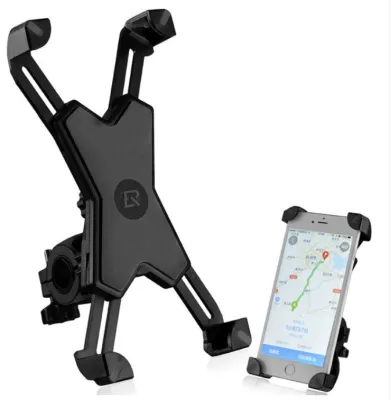
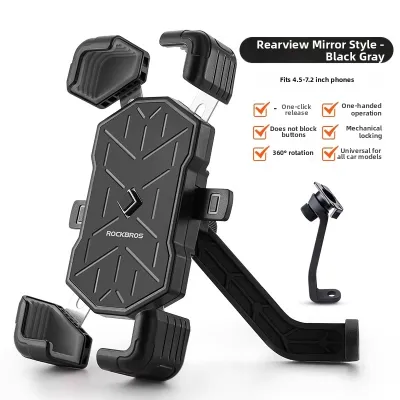
Prices are valid at publication and may change. Please refer to the product page for the latest price.
- Commuting and Leisure Riding: If your typical route involves paved PCNs, park loops, or urban roads, your primary needs are convenience and quick access. A silicone strap mount or a quick-release mechanical clamp is often sufficient. These designs allow you to mount and dismount your phone in seconds when stopping at a local coffee shop or hawker centre.
- Road Cycling: Road cyclists prioritize aerodynamics, clear visibility, and minimal weight. Cockpit space is often limited due to GPS computers, lights, and aerodynamic handlebar profiles. For these setups, an out-front stem mount or a low-profile aluminum handlebar clamp keeps the phone centered and aligned with the bike's frame, reducing drag and keeping your screen directly in your line of sight.
- Mountain Biking and Gravel Riding: Off-road trails introduce severe, high-impact shocks and continuous high-frequency vibrations. A basic silicone strap or a light plastic clamp can slip or flex under these conditions. Off-road riders require heavy-duty aluminum alloy mechanical clamps with multi-point locking systems and integrated vibration dampening to prevent the phone from shaking loose.
To narrow down your options, follow this simple three-step decision framework:
- Step 1: Identify your handlebar space. Do you have open round bars, or is your cockpit crowded with accessories?
- Step 2: Assess your terrain. Are you riding on smooth asphalt or bumpy dirt trails?
- Step 3: Check your phone's bulk. Are you mounting a slim phone or a heavy device with a rugged, drop-proof case?
By answering these three questions, you can immediately narrow down the product line to either a lightweight silicone strap, a robust handlebar clamp, or a specialized stem-cap mount.
Select the Best Mounting Position for Your Bike Setup
The physical layout of your bicycle’s cockpit is the most critical constraint when choosing a phone holder. Not all mounts fit all handlebars, and choosing the wrong attachment mechanism can lead to a loose fit or an impossible installation.

Handlebar mounts are the most common and versatile options available. They typically use a circular clamp that wraps around the handlebar tube, secured by a screw or hex bolt. When selecting a handlebar mount, you must verify your handlebar’s outer diameter. Most standard handlebars measure 22.2mm, 25.4mm, or 31.8mm at the clamping area. Many models include rubber spacers or shims to accommodate these different sizes, but you should always check the product specifications to confirm compatibility. Handlebar mounts allow you to position the phone to the left or right of the stem, making them highly adjustable for angle and reach.
If your handlebars are crowded with a bell, front light, and cycle computer, or if you use integrated aerodynamic handlebars that lack a round clamping surface, a stem mount is the ideal alternative. These mounts replace the top cap of your bicycle’s stem or bolt directly into the stem faceplate. This positions the phone dead-center over the steering column. While stem mounts offer an incredibly clean, integrated look and excellent stability, they require a compatible stem setup. You must verify that your stem uses a standard top-cap bolt and that the mounting angle allows for comfortable viewing without hitting your knees when standing on the pedals.
When choosing between silicone straps and mechanical clamps, consider the following trade-offs:
- Silicone Strap Mounts: These utilize highly elastic, medical-grade silicone bands that stretch over the corners of your phone and wrap tightly around the handlebar. They are completely tool-free, lightweight, and can be swapped between different bikes in seconds. However, silicone can degrade over time when exposed to intense UV rays and high humidity. They also allow for more physical movement and flexing, which may cause the phone to bounce on rougher roads.
- Mechanical Clamps: Constructed from high-strength engineering plastics or CNC-machined aluminum alloy, mechanical clamps offer a rigid, permanent connection to your bike. They use manual screw knobs, spring-loaded claws, or automatic locking gears to grip the sides of your phone. While they require tools for initial installation, they provide superior locking strength and durability, making them the preferred choice for long-distance touring and aggressive trail riding.
Verify Phone Dimensions and Case Clearance
A common mistake when purchasing a phone holder is relying solely on the phone’s advertised screen size. Screen diagonal measurements do not account for the physical bezel width, overall length, or the thickness of your protective case.
To ensure a secure fit, you must take precise physical measurements of your device while it is inside the exact case you plan to use while riding.
Use a ruler or calipers to measure the absolute widest and longest points of your encased phone. Mechanical holders have specific minimum and maximum width limits. If your phone is too narrow, the clamps will not make contact; if it is too wide, the mechanism will not open far enough. Ensure your measurements fall comfortably within the middle of the holder’s adjustable range rather than right at the absolute limit.
Modern smartphones often feature prominent camera modules that protrude significantly from the back of the phone. Additionally, rugged cases or wallet cases add substantial thickness. Measure the total depth of your phone at its thickest point. Many mechanical clamps have a maximum claw depth of 10mm to 15mm. If your encased phone exceeds this depth, the corner claws will not wrap around the front bezel of the phone, creating a high risk of the device slipping out under vibration.
Case materials also play a significant role in how securely the holder grips your device:
- Smooth Hard Plastic and Metal Cases: These materials slide easily into mechanical clamps but require high-friction rubber or silicone padding inside the holder's claws to prevent lateral slipping. Ensure the model you choose features textured rubber inserts on all contact points.
- Soft Silicone and TPU Cases: These cases provide excellent natural grip against the holder's clamps. However, their flexible nature means they can stretch or deform under high tension. If you use a very soft, flexible case, avoid over-tightening manual screw clamps, as this can squeeze the case off the phone.
- Rugged and Textured Cases: Heavy-duty cases with deep ridges, built-in kickstands, or ring holders present a challenge. The uneven back surface can prevent the phone from sitting flat against the mount's backplate, reducing the contact area. For these cases, look for holders with extra-deep claws and adjustable side arms that can be locked independently.
Evaluate Security Locks and Vibration Protection
Protecting your smartphone from physical drops is only half the battle; you must also protect its internal components from the continuous vibrations generated by road surfaces and trails.
Different locking mechanisms offer varying levels of security and convenience:
- Manual Screw Clamps: These require you to manually turn a knob to tighten the claws against the sides of your phone. They offer a highly customizable grip pressure, but you must be careful not to over-tighten and damage your phone's frame. Look for models with a secondary lock nut that prevents the screw from backing out due to road vibrations.
- One-Click Automatic Locks: These feature a central button on the backplate. When you press your phone into the holder, the spring-loaded corner claws instantly snap shut around the device. This offers incredible convenience for daily commuters who mount and unmount their phones frequently. Ensure the model has a manual safety switch on the back to lock the claws in the closed position.
- Silicone Webbing: Some hybrid models combine a mechanical aluminum clamp with an auxiliary silicone strap that wraps over the corners of the phone. This dual-layer security system provides peace of mind, ensuring that even if the mechanical clamp is struck by an object, the silicone web keeps the phone attached to the handlebars.
Modern smartphone cameras utilize delicate Optical Image Stabilization (OIS) systems, which rely on tiny gyroscopes and magnetic coils to suspend the camera lens. High-frequency, high-amplitude vibrations—such as those experienced when riding over cobblestones, gravel, or rough trail sections—can cause these delicate components to collide repeatedly, leading to permanent camera damage and blurry photos.
When browsing phone holder models, look for specifications that detail built-in shock-absorbing materials. High-quality mounts utilize soft TPU or silicone padding on the backplate and inside the claws to absorb high-frequency buzz. If you ride a stiff road bike with high-pressure tires or a mountain bike on technical trails, prioritize models that feature dedicated vibration-dampening modules or flexible joint connectors that isolate the phone holder from the rigid metal handlebar clamp.
Final Pre-Purchase Verification Checklist
Before finalizing your purchase on your preferred online marketplace, run through this comprehensive checklist to ensure absolute compatibility and safety for your cycling setup.
- Cockpit Compatibility Check: Measure your handlebar's outer diameter at the exact spot you plan to mount the holder. Verify if your stem cap or faceplate has the necessary clearance if you are opting for a stem-mount model. Ensure the mount's clamp range matches your handlebar measurements.
- Device Dimension Check: Measure your phone's width, length, and depth with the case on. Compare these measurements against the holder's minimum and maximum supported dimensions. Confirm that the holder's claws do not block your phone's side buttons, charging port, or front-facing camera.
- Terrain and Security Check: For paved roads and PCNs, confirm the mount has secure rubber padding and a reliable locking mechanism. For gravel, trails, or rough roads, ensure the mount features a mechanical lock, deep claws, or an auxiliary silicone safety strap. Verify if the mount includes integrated vibration-dampening materials to protect your phone's OIS camera.
- Weight and Material Check: Check the manufacturer's maximum supported weight limit to ensure it can handle heavy, ruggedized smartphones. Inspect the mount's construction materials; choose CNC-machined aluminum for long-term durability in humid, tropical climates, or high-grade polycarbonate for lightweight road setups.
Frequently Asked Questions (FAQ)
Can I use a Rockbros phone holder with a thick rugged case?
Yes, but you must carefully verify the maximum claw depth of the specific model before purchasing. Many standard mechanical holders support a maximum device thickness of around 11mm to 13mm. If your rugged case exceeds this thickness due to built-in kickstands or heavy-duty corner bumpers, the claws may not fully wrap around the front edge of your phone. Always measure your encased phone’s depth and compare it to the holder’s specifications. If your case is exceptionally thick, look for models with adjustable claw depths or flexible silicone strap designs that can stretch to accommodate bulkier profiles.
Do I need a vibration dampener for my phone camera?
Whether you need a dedicated vibration dampener depends heavily on your phone model and where you ride. If your smartphone features Optical Image Stabilization (OIS)—common in most mid-range and premium smartphones—it is highly susceptible to damage from high-frequency vibrations. If you primarily ride on smooth, paved park connectors or well-maintained asphalt roads, the risk is relatively low, and a standard mount with rubber padding is usually sufficient. However, if you ride on rough gravel paths, off-road trails, or uneven concrete pavements, you should actively look for a mount that incorporates a dedicated shock-absorbing module to isolate your phone’s camera from harsh road vibrations.
How do I maintain the mount to prevent slipping over time?
To ensure your phone holder remains stable and secure, perform regular maintenance checks every few weeks. Start by wiping down the handlebar contact area and the mount’s internal rubber pads with a damp cloth to remove accumulated dust, sweat, and road grime, which can cause the mount to rotate. Regularly inspect and tighten all mounting bolts and clamp screws using the appropriate hex key, as road vibrations can slowly loosen them over time. If your mount uses silicone straps, inspect them regularly for micro-tears, discoloration, or loss of elasticity caused by UV exposure and humidity, and replace them immediately if they show signs of degradation. Avoid using harsh chemical solvents or petroleum-based cleaners, as these can break down plastic, rubber, and silicone components.
Community discussion
Share your experience or ask a question. Comments are reviewed before publication.