
Setting up your Magene PES P515 cycling computer and pairing it with external heart rate and cadence sensors is a fundamental step toward optimizing your training and tracking your fitness progress. By utilizing dual-protocol wireless standards, this device allows you to consolidate critical performance metrics onto a single, highly visible screen. Whether you are a recreational cyclist exploring the scenic coastal loops of Singapore’s Park Connector Network (PCN) or an endurance rider tackling long-distance road routes, real-time data tracking provides the objective feedback necessary to pace your efforts and avoid premature fatigue.
Before diving into the technical steps, it is vital to remember that cycling computers and sensor data are training aids, not substitutes for rider judgment and situational awareness. When navigating busy urban roads, shared pedestrian paths, or wet surfaces after a sudden tropical shower, your primary focus must always remain on the environment around you. Never allow monitoring your heart rate or cadence to distract you from defensive riding practices, traffic signals, and pedestrian safety. Equipment cannot replace proper training, experience, and split-second road judgment.
Preparing Your Magene PES P515 and Sensors for Setup
A successful pairing process begins with thorough preparation of all hardware components to prevent connectivity dropouts mid-ride. Start by checking the battery levels of your Magene PES P515 cycling computer and each external sensor. The computer’s battery status is easily verified via the on-screen icon, and it is highly recommended to charge the unit fully before initiating any wireless pairing or firmware updates. For your heart rate monitor and cadence sensor, consult the manufacturer’s indicators; many sensors utilize small LED lights that flash green or blue when powered on, while others may require a quick check via a smartphone app or a dedicated battery tester if they rely on CR2032 coin cell batteries.
Products mentioned in this guide
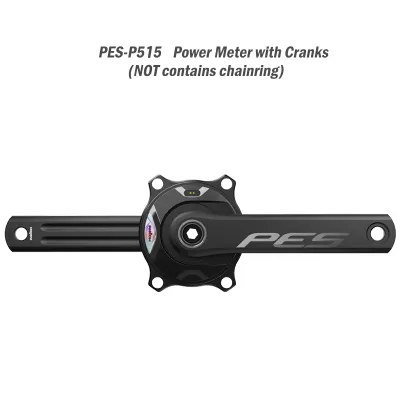

Prices are valid at publication and may change. Please refer to the product page for the latest price.
Next, verify if any firmware updates are available for your cycling computer. Connect the P515 to its official companion app on your smartphone via Bluetooth. If the app prompts you with a firmware update notification, proceed with the installation while keeping both devices close together and ensuring a stable internet connection. Updating the firmware ensures that the computer’s wireless protocols are fully optimized, which resolves potential compatibility issues with third-party sensors and improves overall signal stability.
Physical preparation of the sensors is equally critical for accurate data transmission. For chest-strap heart rate monitors, inspect the elastic band and clean the electrode contact points to remove any dried sweat, dust, or residue from previous activities. For cadence sensors, ensure the unit is securely mounted to the inside of your left crank arm using the manufacturer’s recommended rubber bands or zip ties. Verify that the sensor is positioned flat against the crank arm and has sufficient clearance to spin freely without contacting the bicycle frame, chainstays, or your cycling shoes during a full pedal stroke.
Additionally, consider your riding venue and weather conditions when preparing your gear. If you plan to ride in wet weather or during the monsoon season, verify the water-resistance rating of your computer and sensors in their respective manuals. Ensure all rubber charging port covers and battery compartment seals are tightly closed to prevent moisture ingress, which can permanently damage the internal circuitry.
Step-by-Step Guide to Pairing Heart Rate and Cadence Sensors
Once your hardware is prepared and updated, you can begin the pairing process. Because wireless sensors enter a low-power sleep mode when stationary to conserve battery life, you must first wake them up so they broadcast their wireless signals. To wake up your cadence sensor, spin your bicycle’s crank arm backward several times. To activate your heart rate monitor, moisten the electrode pads on the inner side of the chest strap with a few drops of water or contact gel, then fasten the strap snugly around your chest just below the breastbone to establish a reliable electrical connection.

With the sensors active, turn on your Magene PES P515 cycling computer. Press the dedicated menu button to access the main settings screen, and navigate to the sensor management menu. Select the option to add or scan for new sensors. The computer will begin scanning the immediate area for active ANT+ and Bluetooth signals, displaying a list of detected devices on the screen.
When the list of detected sensors appears, you will see unique identification numbers (IDs) alongside the sensor types, such as “HR” for heart rate or “CAD” for cadence. It is essential to verify the specific ID number printed on the back of your sensor casing before selecting it on the screen. This verification step prevents you from accidentally pairing with another cyclist’s sensors, which is a common issue when setting up your equipment at busy staging areas, popular PCN trailheads, or group ride meetups where dozens of active devices may be broadcasting simultaneously.
Select the correct sensor ID from the list and confirm the pairing action on your computer. The status indicator on the screen should transition from “searching” to “connected” or “paired.” Once the first sensor is successfully connected, repeat the scanning and selection process for the second sensor. Pairing them one at a time minimizes the risk of signal cross-talk and ensures that the computer assigns the correct wireless protocol to each individual device.
Configuring Data Pages and Verifying Sensor Connections
Pairing your sensors is only half the task; you must also configure your display screens so that you can easily monitor your metrics while riding. Access the page layout or screen customization settings, which can be adjusted directly on the P515 interface or more conveniently through the companion smartphone app. Choose the specific riding page you prefer to use during your workouts and select the data fields you wish to modify.
For effective training, allocate prominent data fields to “Heart Rate” (measured in beats per minute, or bpm) and “Cadence” (measured in revolutions per minute, or rpm). You may also want to include related metrics, such as average heart rate, maximum heart rate, or average cadence, depending on your specific training goals and screen space. Organizing these fields logically allows you to assess your physical output and pedaling efficiency at a quick glance without taking your eyes off the path for more than a split second.
Before setting off on a long ride, perform a stationary verification test to confirm that data is streaming accurately. Mount your bicycle on a stationary trainer or support yourself against a sturdy wall, then begin pedaling while wearing your heart rate monitor. Observe the P515 screen to ensure that the cadence and heart rate values update dynamically and display realistic baseline readings. A normal resting or light-pedaling heart rate should register within your expected personal zones, and the cadence should respond immediately as you speed up or slow down your pedaling rhythm.
Finally, check if your specific sensor configuration requires any manual parameter adjustments within the computer’s settings. For instance, if you are using a speed-cadence dual sensor, you must input your exact wheel circumference to ensure accurate speed and distance calculations. If you are using a power meter crankset, such as those in the Magene PES lineup, verify that the crank arm length is correctly configured in the device settings to ensure that any calculated power metrics remain accurate and consistent.
Troubleshooting Common Pairing and Data Issues
Even with careful setup, you may occasionally encounter wireless connection issues or data dropouts. If your Magene PES P515 displays a “sensor not found” error during startup, the most common cause is a dead or weak sensor battery. Remove the battery cover of the problematic sensor, replace the CR2032 coin cell with a fresh one, and ensure the battery contacts are clean and making proper contact. Replacing a standard CR2032 coin cell battery typically costs less than S$5 and can resolve most connection issues immediately. Re-moisten the heart rate strap electrodes, as dry skin can prevent the sensor from detecting your heart rate and broadcasting its signal.
If you experience intermittent data dropouts or frozen values during a ride, check for physical obstructions or electromagnetic interference. High-voltage power lines, heavy concrete structures, or multiple wireless devices operating nearby can occasionally disrupt weak signals. Ensure that your cadence sensor is mounted securely and has not slipped out of alignment on the crank arm. For heart rate monitors, adjust the strap tension to ensure it remains snug against your skin; a loose strap can slip during vigorous pedaling or when transitioning to a standing climb, causing temporary signal loss.
When a sensor becomes completely unresponsive or continues to display erratic data despite battery replacement, performing a full system reset of the connection is the most effective solution. Navigate to the sensor management menu on your P515, select the troublesome sensor, and choose the option to “forget” or “delete” the device. Turn off the cycling computer, remove the battery from the sensor for thirty seconds to fully discharge its internal capacitor, reinsert the battery, and then repeat the step-by-step pairing process to establish a clean, stable connection.
Frequently Asked Questions (FAQ)
Can the Magene PES P515 connect to both ANT+ and Bluetooth sensors simultaneously?
Yes, the Magene PES P515 is designed with dual-protocol wireless capabilities, allowing it to connect to sensors using both ANT+ and Bluetooth standards. This flexibility means you can pair an ANT+ heart rate monitor and a Bluetooth cadence sensor at the same time without protocol conflicts. However, for the most stable connection and to minimize battery consumption on both the computer and the sensors, it is generally recommended to use the ANT+ protocol for all compatible cycling sensors, reserving the Bluetooth channel for connecting the computer to your smartphone for data syncing and notifications.
How do I switch sensors when using the computer on multiple bikes?
The Magene PES P515 supports multiple sensor profiles, meaning it can store the unique IDs of several different sensors in its memory. When you move the computer from one bicycle to another, you do not need to repeat the manual pairing process. Simply wake up the sensors on the bicycle you intend to ride by spinning the crank or putting on your heart rate strap. The computer will automatically scan the immediate area, recognize the active, pre-paired sensor IDs associated with that specific bike, and establish the connection automatically, allowing for quick and hassle-free swaps between your road, mountain, or commuter bikes.
Community discussion
Share your experience or ask a question. Comments are reviewed before publication.