
The Concept2 Performance Monitor 5 (PM5) is the standard digital console designed to track, calculate, and display your workout data on Concept2 cardio equipment. Whether you are rowing, skiing, or cycling, this monitor provides immediate feedback on your physical output, allowing you to measure your training intensity and track your fitness progress over time. Understanding its features helps you determine if a Concept2 machine equipped with this monitor aligns with your home gym requirements and tracking preferences.
Understanding the PM5's Role in Your Workout Setup
The PM5 serves as the central processing unit for Concept2’s lineup of cardio machines, including the RowErg, SkiErg, and BikeErg. Instead of merely estimating your effort, the monitor uses internal calibration to convert your physical mechanical force on the flywheel into standardized, comparable digital metrics. This standardization is what allows athletes worldwide to compare their times and power outputs accurately, regardless of the specific machine or local environmental conditions.
When purchasing a new Concept2 machine, the PM5 is typically included as a standard component bundled within the main equipment package. If you are buying a brand-new unit, you generally do not need to budget for the monitor as a separate accessory. However, if you are purchasing a pre-owned machine or looking to upgrade an older model, it is essential to verify the package contents and confirm whether the monitor is included or requires a separate purchase.
Products mentioned in this guide
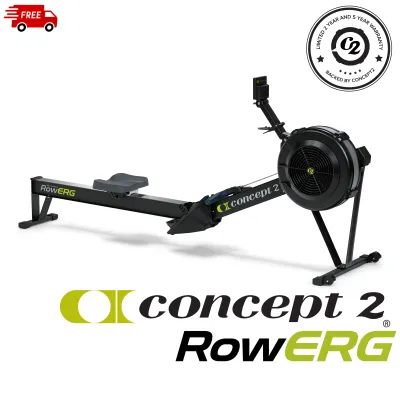
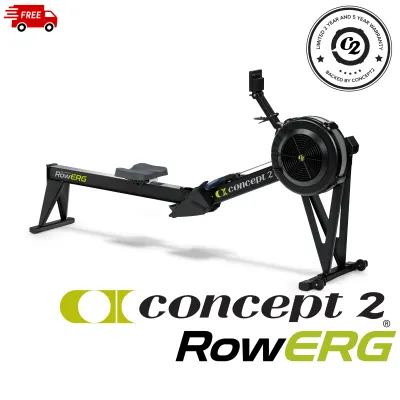

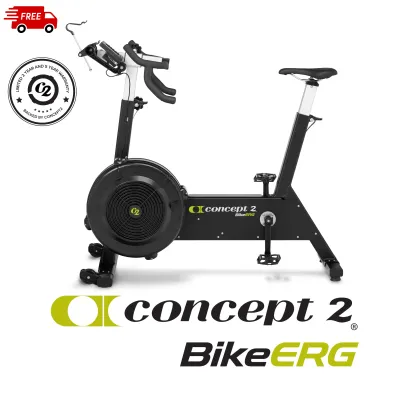
![🇸🇬 [READY STOCK] Concept 2 SkiErg with PM5 Concept2 C2 Ski Erg Free Assembly Free Delivery](https://img.lazcdn.com/g/p/3a9c0702609611ffe159796892627452.jpg_400x400q80.jpg_.webp)
Prices are valid at publication and may change. Please refer to the product page for the latest price.
Evaluating the Screen and Interface for Your Environment
The physical design of the PM5 prioritizes clear visibility and straightforward navigation during intense workouts. The screen features a liquid crystal display (LCD) with a built-in backlight, which improves readability in dim environments such as garage gyms, basements, or early morning training spaces. This backlight activates automatically when you start your workout or press a button, ensuring you can monitor your progress without pausing your session.

Operating the monitor relies on tactile physical buttons located along the edge of the screen rather than a touch interface. This design choice prevents issues with sweaty hands or gloves, allowing you to navigate menus and toggle between different display options reliably. You can easily switch from a simple, large-font summary view to detailed data splits, force curves, or bar charts depending on how much technical feedback you prefer during your session.
Powering the monitor typically requires standard batteries, which are often supplemented by the power generated by the flywheel during active use. To ensure uninterrupted training, you should check the manufacturer’s current specifications regarding the exact battery type required and the expected replacement interval. Keeping a spare set of compatible batteries in your workout space prevents unexpected downtime when the monitor indicates a low charge.
Matching Tracking Metrics to Your Training Goals
The PM5 tracks several core metrics to help you gauge your training intensity and progress. These include your pace (expressed as a split time per 500 meters on rowers and ski ergs, or per 1000 meters on bikes), total watts generated, estimated calories burned, and cumulative distance. By monitoring these values, you can adjust your effort in real time to match specific aerobic or anaerobic training zones.
The monitor comes pre-programmed with several standard workout modes to structure your training sessions. You can select fixed-time or fixed-distance targets, set up custom interval workouts with defined work and rest periods, or race against a pre-programmed pace boat to keep your intensity consistent. These built-in options allow you to execute structured training plans without needing external timing devices.
To ensure the accuracy of these metrics, you must understand how the monitor interacts with your machine’s physical resistance. The PM5 calculates your true output by measuring the deceleration of the flywheel during each recovery phase, a value known as the drag factor. Because environmental factors like dust accumulation and air density can affect this resistance, you should consult the user manual to calibrate and verify the drag factor on your screen before starting a high-precision workout.
Assessing Wireless Syncing and App Compatibility
For users who want to analyze their training trends over time, the PM5 offers wireless connectivity options to link with external devices. The monitor supports wireless protocols to connect with compatible chest-strap heart rate monitors, allowing you to view your heart rate directly on the screen alongside your performance metrics. This integration is crucial for athletes who follow heart-rate-zone training protocols.
You can also sync the monitor with mobile devices to log your workouts digitally. The brand offers an official companion application for workout logging, and the monitor is compatible with various third-party fitness platforms and virtual training apps. Before purchasing, you should verify that your smartphone’s operating system and your preferred training apps are fully compatible with the monitor’s current firmware version.
If you work with an external coach or prefer to analyze your data manually, you should check the supported data export formats. The monitor allows you to transfer workout logs to online profiles or export them for spreadsheet analysis. Confirming these data pathways beforehand ensures that your workout history integrates smoothly with your existing digital tracking ecosystem.
Final Checklist: Is the PM5 Right for Your Fitness Routine?
Deciding if the PM5 fits your routine depends largely on your training style and how much you value standardized data. Casual fitness enthusiasts who simply want to start moving may find the basic screen functions more than sufficient without ever using the advanced tracking features. Conversely, competitive athletes and cross-training enthusiasts will benefit greatly from the precise, comparable metrics and structured interval programming.
Consider whether you prefer a standalone tracking experience or if you rely heavily on a specific wearable ecosystem. The PM5 functions exceptionally well as a self-contained unit, but if you prefer to have all your health metrics consolidated on a single smartwatch or fitness tracker, you will need to verify how easily the monitor’s data syncs with your specific wearable brand.
Finally, if you are planning to install the PM5 on an older or specialized equipment frame, always verify compatibility before purchasing. Different generations of cardio frames may require specific mounting hardware, sensor cables, or firmware updates to ensure the monitor functions correctly. Checking these technical requirements with the manufacturer’s compatibility guides will prevent installation issues.
Frequently Asked Questions (FAQ)
Can I use the PM5 without connecting it to a smartphone or app?
Yes, the PM5 is fully functional as a standalone device. You can start your workout immediately, select pre-programmed sessions, and view all your real-time metrics directly on the screen without any external connections. The monitor stores a limited number of recent workouts in its internal memory, but you will need to sync with an app or use a compatible storage drive if you want to maintain a permanent, long-term training history.
Does the PM5 work with third-party heart rate straps?
The PM5 is compatible with many third-party heart rate chest straps that use standard wireless transmission protocols. To ensure accurate real-time data transmission, you should check the specifications of your heart rate monitor to confirm it supports compatible wireless standards. Chest straps are generally recommended over optical wrist sensors, as chest-based sensors provide the consistent, rapid transmission required by the monitor during high-intensity cardio workouts.
Community discussion
Share your experience or ask a question. Comments are reviewed before publication.