
Choosing between the Coospo HW9 heart rate monitor—often paired with a budget head unit—and other entry-level cycling computers comes down to how you prefer to track and analyze your riding data. If your goal is to build a modular, cost-effective system where a reliable heart rate band feeds data to a basic display, verifying compatibility across brands is essential. For cyclists navigating park connectors or busy roads, finding the right balance between sensor connectivity, display readability, and weather resistance ensures you do not overspend on features you might not need. The ideal setup depends on whether you prefer a simple, highly accurate sensor-focused configuration or a fully integrated GPS computer with standalone tracking capabilities.
Key Specifications to Check on the Coospo HW9 and Alternatives
When comparing budget cycling electronics, relying solely on marketing headlines can lead to a frustrating user experience. You must know how to analyze specific technical details on product listings to ensure a fair comparison.
First, evaluate display readability under different lighting conditions. Many budget cycling computers utilize high-contrast, monochrome screens that are highly readable in direct sunlight but require a backlight for night riding. Check if the device features an automatic backlight that syncs with local sunset and sunrise times based on GPS data. Additionally, look at the number of customizable data fields per page. A screen that allows you to configure five to eight metrics per page is far more useful than a rigid layout that forces you to manually toggle screens while riding.
Products mentioned in this guide
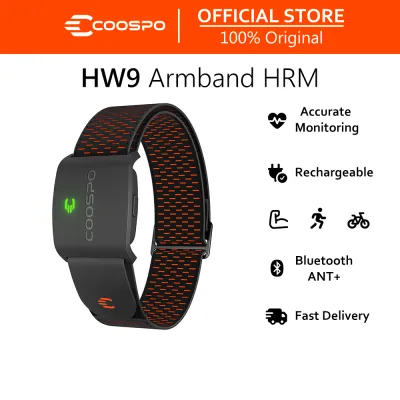
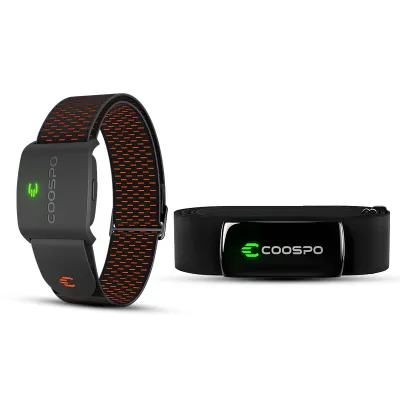
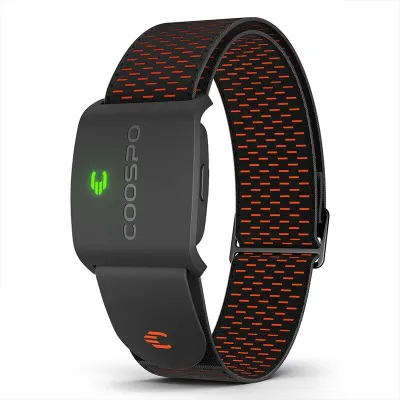
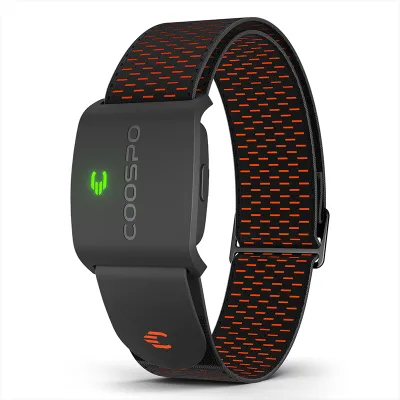
Prices are valid at publication and may change. Please refer to the product page for the latest price.
Second, scrutinize battery life claims against your typical riding habits. Manufacturers often advertise maximum runtimes based on minimal sensor connections and disabled backlights. For a realistic estimate, look for battery specifications that account for continuous GPS tracking, active Bluetooth or ANT+ connections, and moderate backlight usage. A reliable budget setup should offer at least 12 to 15 hours of continuous operation, ensuring you do not run out of power during longer weekend rides.
Third, verify external sensor compatibility. A versatile budget setup must support both ANT+ and Bluetooth dual-band protocols. This ensures that whether you are using the Coospo HW9 heart rate monitor or a third-party cadence sensor, the devices can communicate seamlessly. Check the maximum number of simultaneous sensor connections the head unit can support, as some entry-level models may limit you to pairing only one or two sensors at a time.
Evaluating the Coospo HW9 for Your Specific Riding Environment
Your typical riding environment dictates the physical durability and software integration your cycling gear must possess. Whether you are commuting through urban high-rise corridors or exploring gravel paths, your equipment must perform reliably under local conditions.

Navigating the companion app ecosystem is a critical part of using any modern cycling device. Most budget computers and sensors rely on a smartphone app for initial setup, calibration, and data syncing. Before committing to a system, check how easily the companion app integrates with popular third-party training platforms. A seamless, automatic upload process saves you the hassle of manually exporting fit files via a computer cable after every ride.
Next, consider mounting hardware compatibility and stability. Budget cycling computers should mount securely to your handlebars or stem to withstand vibrations from rough pavement or sudden stops. Look for devices that utilize standard quarter-turn mounting interfaces, which are widely compatible with aftermarket out-front mounts. An out-front mount positions the screen further forward, allowing you to check your speed or heart rate with minimal head movement, which is a safer riding practice in traffic.
Finally, assess the water and dust resistance ratings of your equipment. In tropical climates where sudden downpours are common, robust weatherproofing is non-negotiable. Look for an IPX7 rating, which certifies that the device can withstand accidental immersion in water up to one meter deep for 30 minutes. Ensure that any physical charging ports are protected by a thick, well-fitting rubber cover to prevent moisture from seeping into the internal circuitry during a heavy rainstorm.
Comparing Value: When to Choose the HW9 vs Other Budget Models
Finding the best value in the budget cycling market requires matching your training goals with the specific capabilities of the hardware. No single device fits every cyclist, so a conditional approach is necessary to make the right choice.
Choose a dedicated heart rate monitor like the Coospo HW9 paired with a basic, sensor-compatible head unit if your primary focus is heart rate zone training and basic metric tracking. This modular approach is highly efficient for riders who stick to familiar routes or indoor trainers where advanced navigation is unnecessary. It allows you to invest your budget directly into accurate biometric tracking rather than paying for GPS mapping features you may never use.
Choose alternative budget GPS computers if you require standalone navigation aids, such as breadcrumb trails or turn-by-turn routing. If you frequently explore new roads or travel to unfamiliar cycling routes, having a visual route guide on your handlebars is incredibly valuable. While budget navigation is rarely as detailed as premium mapping systems, it provides sufficient guidance to keep you on track without needing to stop and check your phone.
Neither option may fit your needs if you require professional-grade power meter analysis, multi-band GPS accuracy for dense urban canyons, or advanced training load metrics like training stress score or normalized power. These advanced features require sophisticated processing algorithms and high-end hardware that are typically reserved for mid-tier or premium cycling computers.
Before making your final decision, always verify if the device supports the specific external sensors you already own. For instance, if you own an older speed sensor that only transmits via ANT+, choosing a computer that only supports Bluetooth will prevent you from using your existing gear.
Setup and Integration Checklist for Budget GPS Computers
Proper initial setup is essential for getting accurate data from any budget cycling computer or sensor. Taking the time to configure your devices correctly before your first ride prevents data drops and ensures a smooth user experience.
Start by verifying firmware update requirements. Connect your new device to its official companion app on your smartphone to check for any pending updates. Manufacturers frequently release firmware patches to resolve connectivity bugs, improve GPS acquisition times, and enhance battery efficiency. Completing this step first ensures you are running the most stable software version.
Next, follow the correct pairing sequence for external sensors. To prevent connection drops or interference, wake up your sensors (such as by wearing your heart rate band or spinning your wheel for speed sensors) before initiating the search on your head unit. Pair them one by one, and confirm that the unique sensor ID matches the label on the physical device. This is especially important if you are setting up your gear near other cyclists with active sensors.
Finally, configure your data screens to display only the metrics relevant to your immediate goals. For casual riding, a single screen showing speed, distance, and elapsed time is often enough. If you are training within specific heart rate zones, dedicate a screen to heart rate, average heart rate, and cadence. Keeping your screens clean and uncluttered allows you to read key metrics at a quick glance, keeping your eyes on the road ahead.
Frequently Asked Questions (FAQ)
Can budget cycling computers like the Coospo HW9 connect to power meters?
While some budget cycling computers support basic power meter pairing via ANT+ or Bluetooth, many entry-level models restrict this feature to segment-leading or higher-tier devices. Power meters transmit high volumes of data that require compatible processing protocols to display real-time 3-second or 10-second averages. Before purchasing a budget computer with the intention of tracking power, always check the manufacturer’s official specification sheet to confirm explicit power meter compatibility. If you plan to invest in a power meter in the future, choosing a head unit that supports this metric now will save you from having to upgrade your entire setup later.
How accurate is the GPS tracking on entry-level cycling computers?
Entry-level cycling computers typically utilize standard single-band GPS receivers to keep manufacturing costs down. While highly reliable in open areas, single-band GPS can experience signal drift or temporary loss of connection when riding under heavy tree canopy, next to tall buildings, or through underpasses. To ensure the most accurate speed and distance tracking in these challenging environments, it is highly recommended to pair your computer with an external wheel-mounted speed sensor. The speed sensor calculates distance based on actual wheel revolutions, overriding GPS-derived speed data and eliminating any lag or drift caused by satellite signal interference.
Do I need a smartphone to use the Coospo HW9 or similar devices?
Once initial setup and sensor pairing are complete, budget cycling computers and heart rate monitors function entirely as standalone devices during your ride. You do not need to carry a smartphone to view real-time speed, distance, heart rate, or cadence on your handlebars. However, a smartphone remains necessary for post-ride data synchronization, uploading your activities to third-party fitness platforms, receiving smart notifications on compatible screens, and performing essential firmware updates. For the best experience, sync your device with its companion app shortly after completing your ride to back up your data.

Community discussion
Share your experience or ask a question. Comments are reviewed before publication.